
Ground teams coordinating baggage, equipment and aircraft services at a busy airport stand
AI-native workforce planning and real-time control

A late flight should not delay the next one.

TQ 472 arrives 22 minutes late. Its cleaning and ramp teams now overlap with TQ 518. TurnIQ detects the conflict, checks skills and passenger load, then builds a recovery plan for the planner to approve.

01Detectresource conflict
02Rebalancepeople and hours
03Approveplanner control
04Dispatchtasks update live
REAL-TIME CONTROL TOWERLive workforce recovery
LIVE
DELAYED +22 MINTQ 472Stand B07 · Load 91%Target departure 19:40
6 peopledouble booked
NEXT TURNTQ 518Stand B11 · Load 54%Service starts 19:25
CLNCleaning4 people TQ 47219:02 to 19:32 12 min overlap TQ 518From 19:20
RMPRamp2 people TQ 47219:08 to 19:38 8 min overlap TQ 518From 19:30
!
CONFLICT FOUNDTwo teams cannot cover both turns

The late arrival moved six people into the next planned turn. TurnIQ checks workload, skills and service standards before suggesting a change.

✦ Recommended recovery mix94% plan fit
OTTargeted overtime2 cleaners · 35 minutes+$46
LFPlanned disengagementRelease 2 cleaners and 1 ramp operator from TQ 518 · Load 54%3 moved
↗Real-time task assignmentSend updated tasks to mobile teams at B07 and B116 updates
Coverage100%Recovered buffer10 minNext turnProtected
THE AIRCRAFT TURN

Two operating worlds must finish as one.

Above the wing teams manage the passenger journey. Below the wing teams prepare the aircraft, baggage, cargo and equipment. Their work happens in parallel, but every task shares the same departure time.

ARRIVALTwo workstreams. One departure time.DEPARTURE
ABOVE THE WINGPassenger and terminal services
Pre-arrival plan
Arrival support
Check-in and bags
Boarding services
Special assistance
Gate close
BELOW THE WINGRamp and aircraft services
Parking and chocks
Bridge and power
Baggage and cargo
Cleaning and catering
Final checks
Pushback
P

People

Ramp agents, cleaners, loaders, drivers, supervisors and passenger teams must arrive with the right skills.

E

Equipment

Tugs, belt loaders, buses, stairs, ground power and service vehicles must be ready at the right stand.

S

Service and SLA

Turnaround time, first bag, boarding, safety and service milestones all run against fixed commitments.

R

Constraints

Skills, certifications, labor rules, leave, stand limits and asset compatibility shape every feasible plan.

!

Disruption

Late flights, changing passenger loads, gate changes, weather and absences can invalidate the plan in minutes.

THE DOMINO EFFECT

A delay in one task quickly becomes a turn delay.

01Inbound flight arrives late
›
02Cleaning starts late
›
03Boarding window narrows
›
04Pushback is at risk
THREE VIEWS OF ONE OPERATION

Every decision reaches the right person.

TurnIQ keeps one operational picture, then presents the right level of detail to the people who plan, coordinate and lead the operation.

PLANNER APPROVAL CENTRE

Three decisions need review

Next 24 hours
Demand covered98.4%+1.8% after optimization
Rule checks100%All 42 rules passed
Fairness94Nights and leave balanced
PLAN READY

October workforce plan

Coverage is above target across all skills. The plan uses 6% fewer unproductive hours.

Coverage 98.4%Overtime 4.1%
SWAP SUGGESTED

Swap two cleaning shifts

Move A. Rahman to evening and L. Chen to day. Coverage stays unchanged and both preferences improve.

AR⇄LC
LIVE CHANGE

30 minutes overtime at B07

A late arrival creates a cleaning overlap. Extending the current team protects boarding.

People 2OTP risk Low
TurnIQ bot

Ask the operation. See the evidence.

WorkforceLive KPI view FairnessOutlier checks Turn performanceCause and impact
01Overtime02Fairness03Skill utilization04Lowest utilization05Coverage gaps06OTP
HOW TURNIQ RESPONDS

One planning flow built around the flight turn.

TurnIQ turns changing operational data into a workforce plan, a live task plan and a clear recovery action. The same rules and demand logic stay connected throughout.

SHARED TARGETKeep every turn on time

SkillsService levelsLabor rulesAsset readiness
01CONNECT

Operational inputs

Bring the live operation and workforce picture into one data foundation.

  • AODB, SSIM and OAG schedules
  • SITA, ACARS and iOPS events
  • Passenger load and service rules
  • HRMS, hours and equipment data
02UNDERSTAND

Demand and constraints

Translate each flight turn into required people, skills, equipment and time windows.

  • Demand by station and service
  • Demand by skill and time bucket
  • Capacity and contract rules
  • Scenario and peak analysis
03OPTIMIZE

Workforce plan

Use mathematical optimization to build the best plan across connected constraints.

  • Shift design and patterns
  • Roster generation
  • Staff assignment and bidding
  • Equipment allocation
04OPERATE

Task scheduling

Turn named shifts into sequenced work for every aircraft turn.

  • Task start and end times
  • Skills and resource assignment
  • Task dependencies
  • Live Gantt and alerts
05REOPTIMIZE

Real time control

Detect conflicts as conditions change and recommend the best recovery action.

  • Delay and load changes
  • Staffing gap prediction
  • Ranked recovery options
  • Planner approval and audit trail
01
StrategicPre-season
02
Tactical1 to 3 months
03
OperationalMonth of operations
04
Real timeDay of operations
ONE CONNECTED PLATFORM

Plan earlier. Respond faster.

Demand planning, shift design, rostering, staff rules and live tasks work from the same flight picture. When a schedule changes, the next decision starts with the latest plan.

Operations plannerOP
WORKFORCE DEMAND

Cleaning demand curve

Peak demand39staff at 17:15
Planned coverage97.6%Within target
Movable tasks8Available to flatten
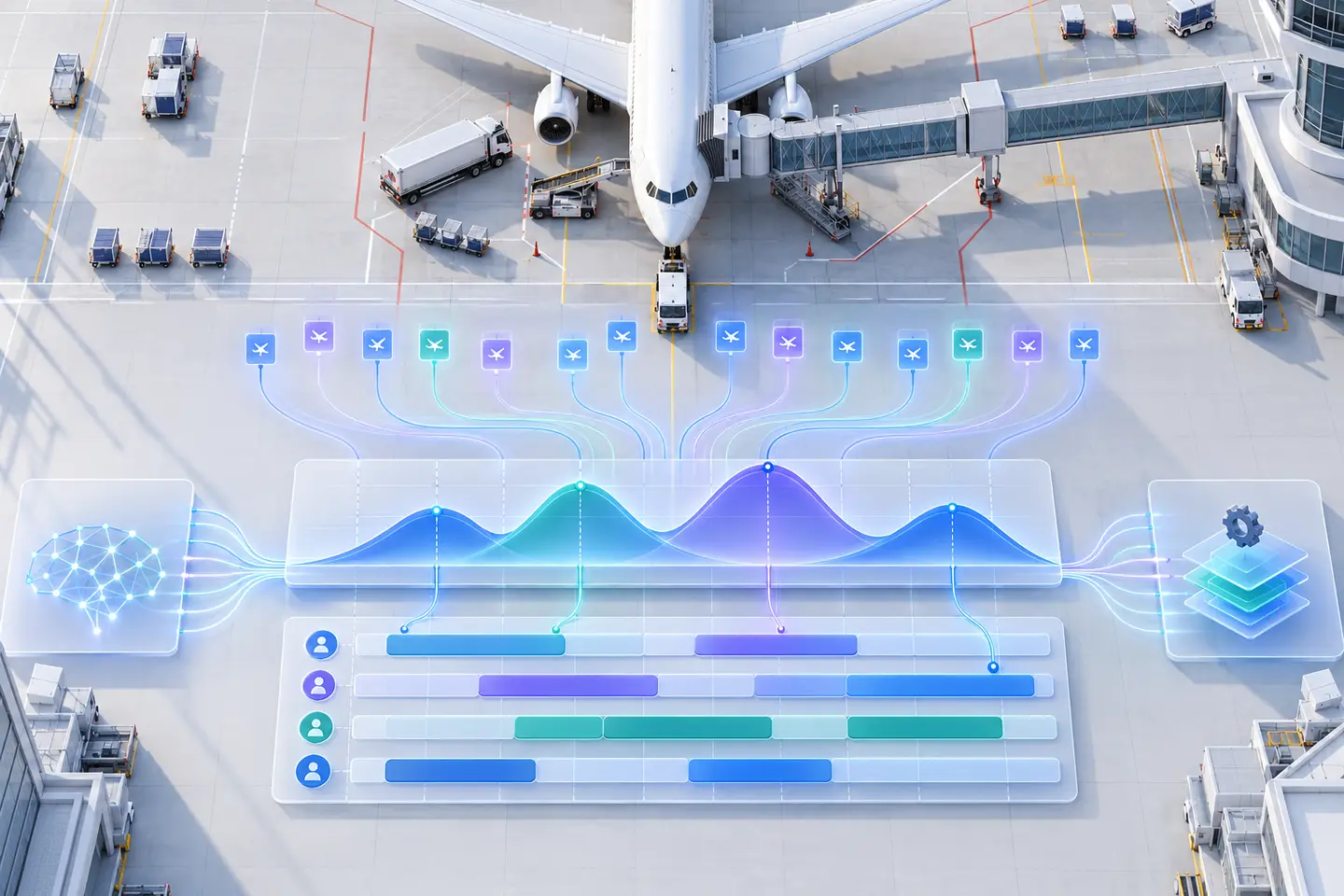
Required cleaning staff in 15 minute intervals Demand AI optimized need
Cleaning workforce demand curve Cleaning staff demand every 15 minutes. Two main flight banks and two smaller flight waves rise above a steady base load.
AI plan: spread movable tasks

Move flexible cleaning tasks around the evening flight bank. Peak need falls by five staff.

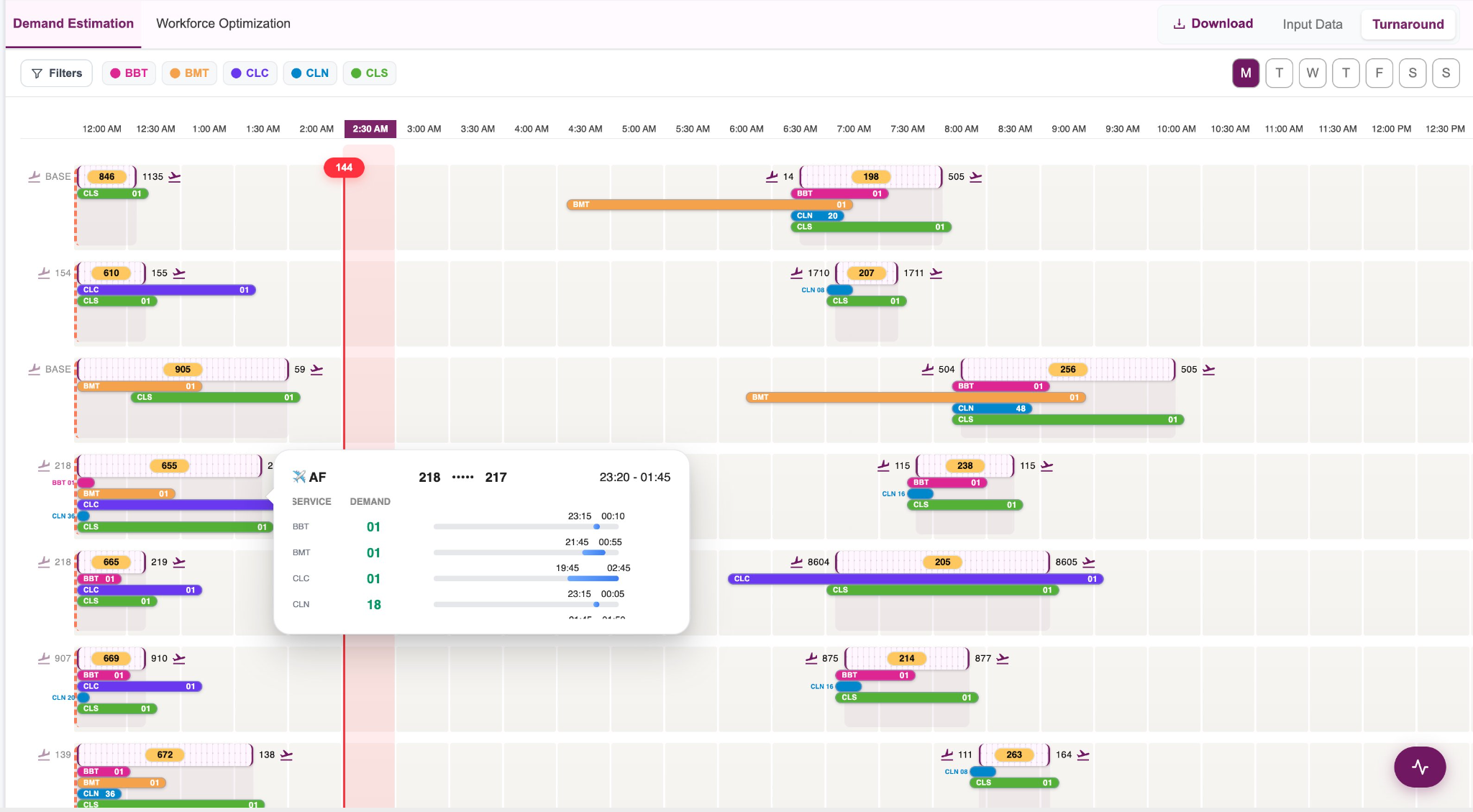
TURNIQ APPLICATIONFlight demand in a Gantt view
TurnIQ demand Gantt with flight rows and colored service bands across a day
See where work builds up. Each flight opens into the service windows and team sizes behind its demand, so planners can check peaks before building shifts.
TURNIQ APPLICATIONPublished plans together
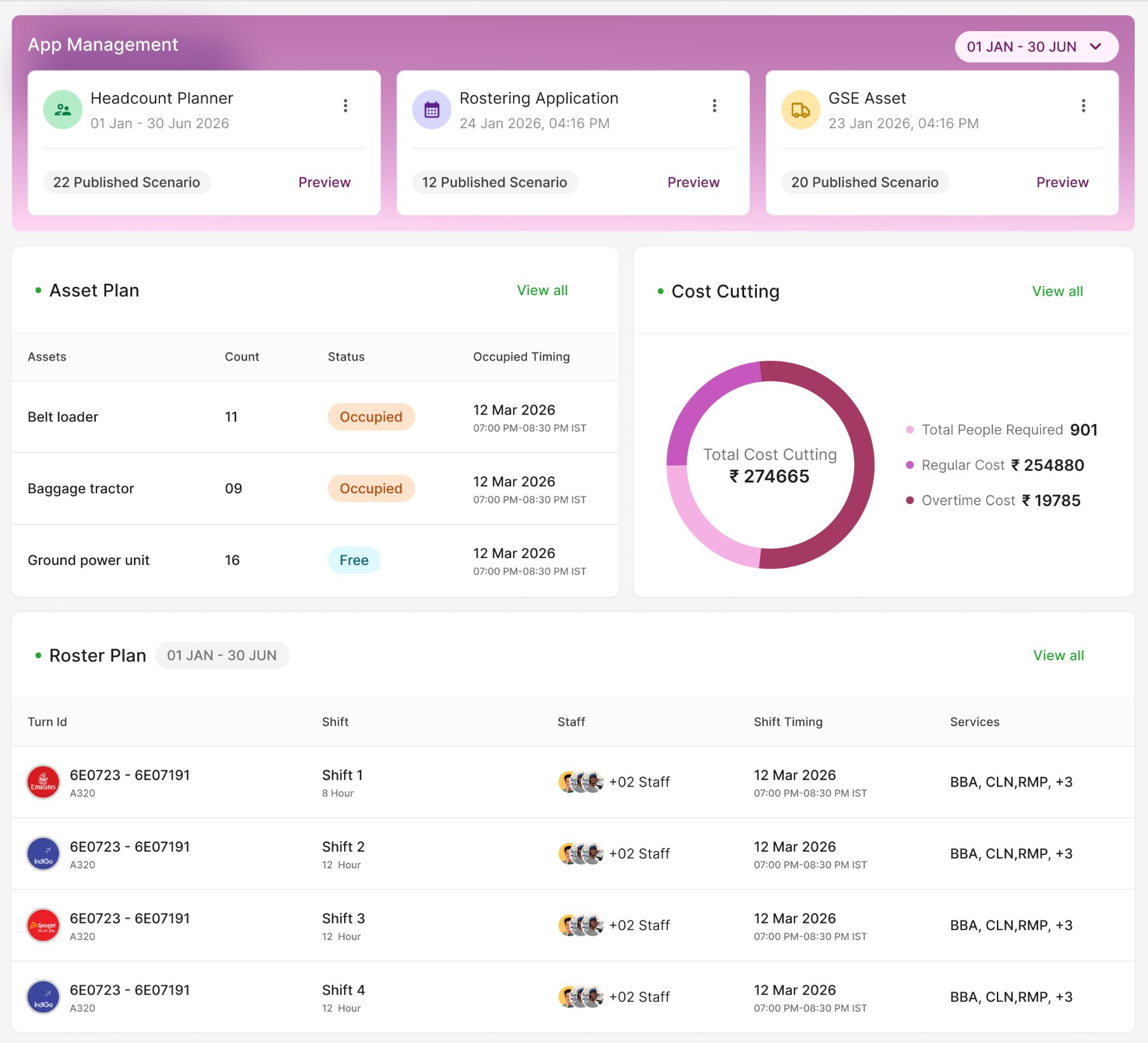
TurnIQ app management showing headcount, rostering, equipment, asset and roster plans
Workforce costUSD · ILLUSTRATIVE
Month to date$87,360
Base staffing $72,800Overtime $4,960Other $9,600
App ManagementPLANNER VIEW
Headcount planner 22 scenariosRostering 12 scenariosGSE assets 20 scenarios
WORKFORCE COST · USD$87,360Illustrative month to date
ASSET PLAN16Ground power units
Roster planShift 1 · 8 hours · CleaningShift 2 · 6 hours · Ramp
Keep the planning layers together. The complete application view brings headcount, equipment and roster scenarios into one workspace. Cost figures are illustrative and shown in USD.
THE TURNIQ PLATFORM

One platform. The full planning cycle.

Each decision feeds the next. Turn flight activity into demand, demand into workable rosters, and live events into clear recovery actions.

AI view of airport flight events forming a workforce demand curve and optimized shift bands
01 PLAN THE WORK
From flight schedule to staffed hours

See the work before you build the plan.

TurnIQ converts every flight, aircraft type, service rule and passenger load into a timed workforce need. Its optimization engine then tests shift patterns against that demand.

01

Demand planning

Estimate people and equipment by skill in each service window.

  • Flight service Gantt
  • Peak and movable work
02

Shift design

Place practical shifts around demand and local work policies.

  • Shift start and end rules
  • Hours, rest and briefing
Flight events→Demand curve→Covered shifts
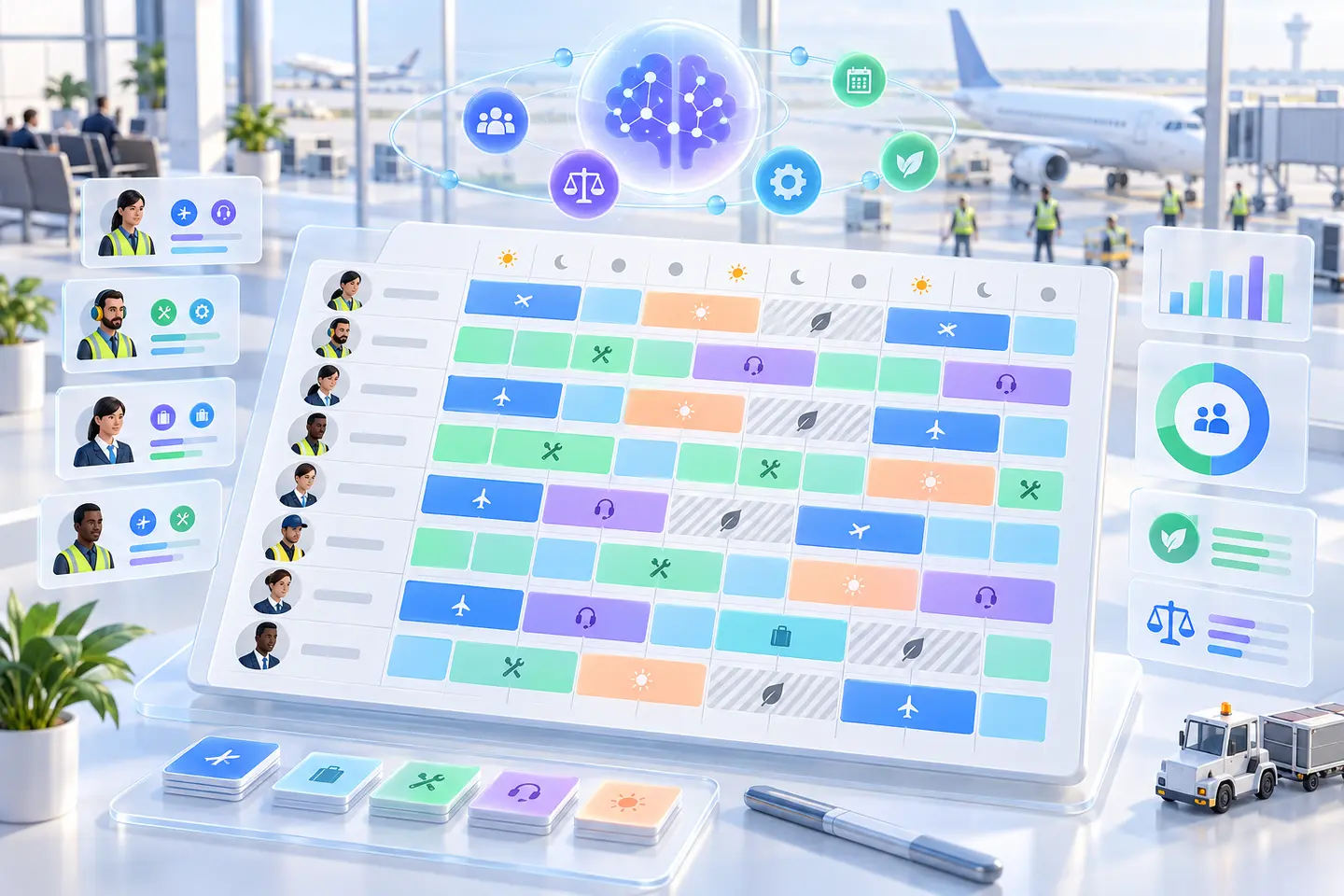
AI assisted monthly airport workforce roster with skills, leave and fairness indicators
02 BUILD THE TEAM PLAN
From covered shifts to fair rosters

Put qualified people into a plan they can work.

The same demand and shift logic carries into the roster. TurnIQ checks skills, availability, leave, preferences and fairness before the planner publishes a scenario.

03

Workforce rostering

Create cyclic or flexible rosters with coverage visible by day.

  • Day and night balance
  • Leave and fairness checks
04

Staff management

Match service needs with eligible people and cross-skilled teams.

  • Skill and contract rules
  • Aircraft and load conditions
Shift coverage→People and rules→Approved roster
Real time aircraft turnaround with task paths, a delay conflict and an AI recovery route
03 RUN THE DAY
From approved roster to live action

Keep the turn on time when the day changes.

TurnIQ connects tasks, people, equipment and flight updates in one live view. When a delay creates a conflict, it tests feasible recovery options and shows the impact before approval.

05

Task scheduling and live control

Assign work, follow progress and respond to flight or load changes.

  • Live conflict detection
  • Ranked recovery options
06

Connected people systems

Use current roles, training, leave and attendance in each decision.

  • HRMS and timekeeping data
  • Actual hours returned
Live events→AI recommendation→Planner action
One shared decision layerService and skill rulesDomestic and international turnsShift and rest policiesEquipment needsPlanner approval
AI NATIVE BY DESIGN

Better decisions without the legacy workload.

Legacy tools often separate demand, shifts, rosters and live control. Planners move data between screens, rebuild scenarios and rely on individual experience to close the gaps.

TurnIQ solves connected decisions through one optimization layer. Mathematical models test many feasible plans, rank the outcomes and explain why the recommended action fits the current rules.

Planner control

TurnIQ makes recommendations consistent across planners. Teams can review the reason, compare options, approve the plan or override it with a recorded explanation.

Capability
Legacy systems
TurnIQ logo TurnIQ
Planning method
Sequential modules and manual handoffs
Connected optimization across the plan
Disruption response
Planner checks the impact after the event
Live conflicts with ranked recovery options
Decision quality
Varies by tool and planner experience
Consistent scoring from shared rules and models
Explanations
Limited reason behind the output
Impact, constraints and tradeoffs shown clearly
Configuration
Changes often need vendor or IT support
Rules managed in the product interface
Feedback
Actual operations stay separate from planning
Live results improve the next plan
THE RESULT OF A CONNECTED PLAN

See the impact in the operation.

Each decision moves the measures planners and leaders watch every day. This illustrative view shows how coverage, turn readiness, utilization and fairness stay connected.

ILLUSTRATIVE OPERATIONS VIEWFlight TQ 472 · Stand B07
Inbound delay +24 minCleaning overlap 2 peopleRecommended change Team swapDeparture target Protected

TurnIQ checks the live turn, tests a qualified swap, and shows the effect before the planner approves it.

92.1%

On-time performance

Protect the critical path when a delay changes the plan.

98.4%

Demand covered

Match qualified people to each service window.

87%

Staff utilization

Place shifts around the work, including two daily peaks.

◎

Fairer schedulesBalance overtime, leave and difficult shifts.

92fairness score
◉

Clearer accountabilitySkills, rules and approvals stay traceable.

100%rule checks
↘

Less avoidable delaySpot gaps and review a recovery action early.

2.8%planning link
CONNECTED OPERATIONS

Bring every signal into one plan.

Schedules and airport events shape demand. People and equipment records guide assignments. Mobile and reporting systems carry the result back to the operation.

DBAODBAirport operations data
SSSSIM schedulesSeasonal flight program
OAGOAGFlight schedule data
SISITAAirport messaging
ACACARSAircraft event messages
OPSiOPSAirport operations data
APIREST API and flight feedsReal time schedule changes
TurnIQ logoONE LIVE PLANDemand · Rosters · Tasks · Control
HRSAP HRMSSkills, leave and staff records
TIMETimekeeping systemsHours and attendance
ERPERP and contractsFinance and contract management
GPSEquipment trackingAsset location APIs
APPMobile app integrationAssignments and progress updates
BIPower BIReports and analytics
IDSSO and LDAPIdentity and access
Read schedules and live events Match people, rules and equipment Send updates and results back
SEE TURNIQ IN ACTION

Bring your planning and live control into one view.

Explore how TurnIQ can model workforce demand, build compliant rosters and resolve day of operations conflicts with clear AI recommendations.

✓ Tailored product walkthrough✓ Live planning and control scenarios✓ Technical integration discussion
UAE phone+971521000782
REQUEST A DEMO

Tell us about your operation

Share a few details and the TurnIQ team will contact you.

✓Recovery plan applied. Coverage restored.